Adding a payment method to your Opus1 account takes about a minute. Once it’s saved, your monthly tuition will process automatically — no need to remember a due date or send a check. Follow the five steps below to get set up.
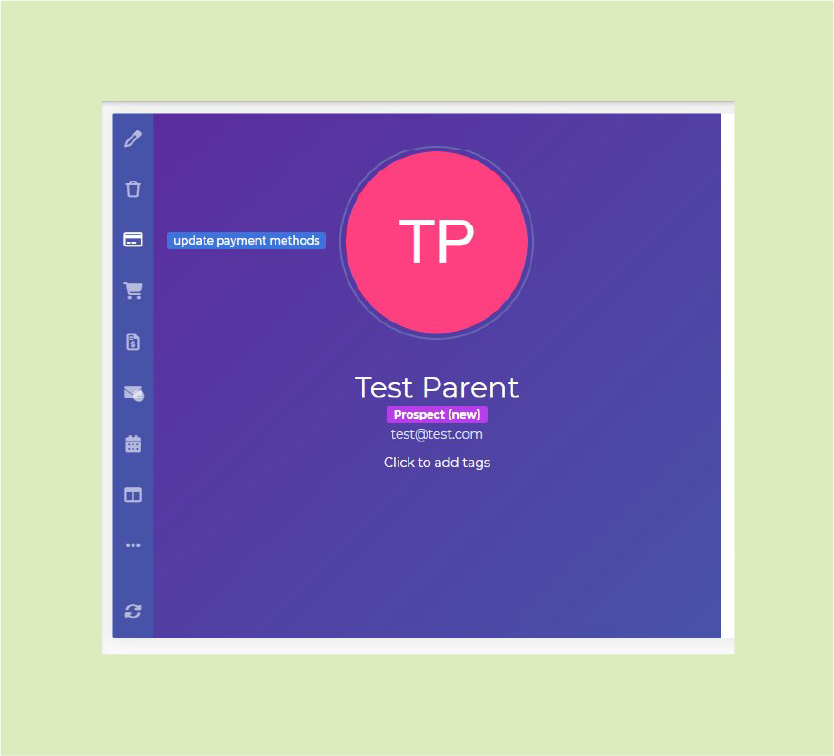
click the credit card icon in the sidebar.
Once you’re logged into your portal, look for the credit card icon in the left-hand sidebar. Click it to open your payment methods.
Pictured on Right:The credit card icon in the left sidebar — labeled “update payment methods”
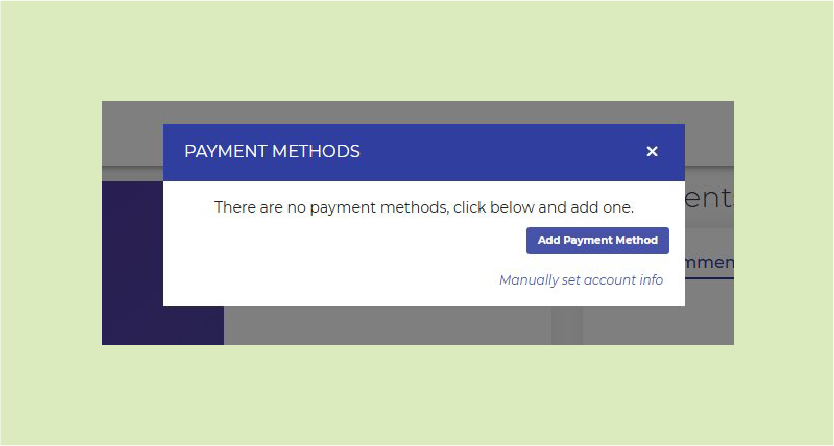
click the "add payment method" button.
If this is your first time, your payment list will be empty. Click the green Add Payment Method button to begin entering your card details.
Pictured on Right: The Payment Methods window with the “Add Payment Method” button
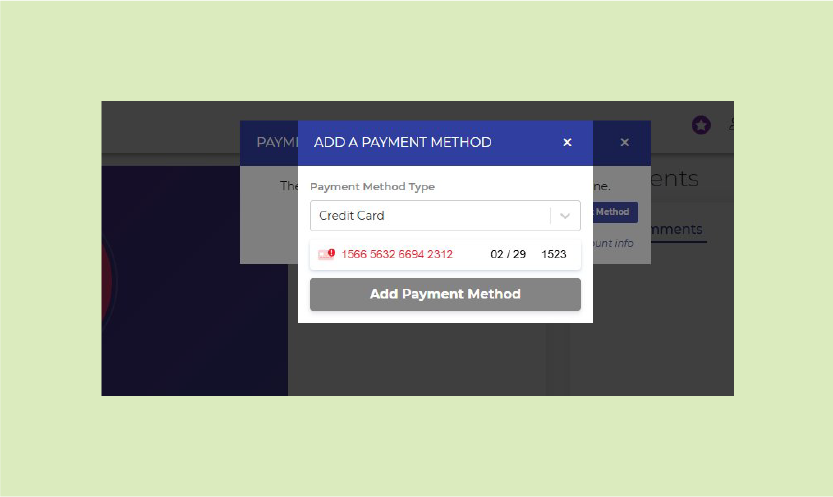
enter your card information.
Type in your credit or debit card number, expiration date, CVC code, and ZIP code. Your information is securely encrypted and processed through Stripe — Premier Music Academy never sees or stores your full card number.
Pictured on Right: Enter your card number, expiration date, and CVC
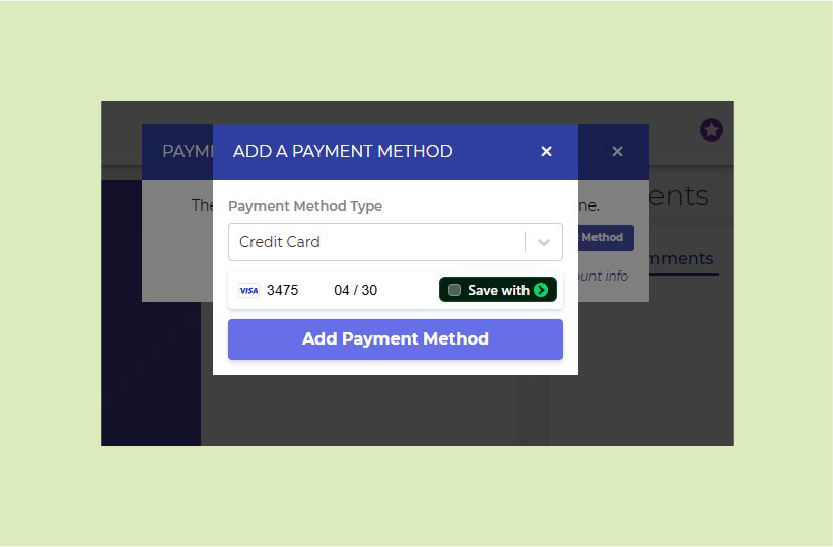
click "add payment method" to save.
Once your card details are entered, click the Add Payment Method button at the bottom of the form to save it to your account. You’ll see your new card appear on the payment methods screen.
Pictured on Right:Click “Add Payment Method” to save your card
add additional payment methods
if you'd like.
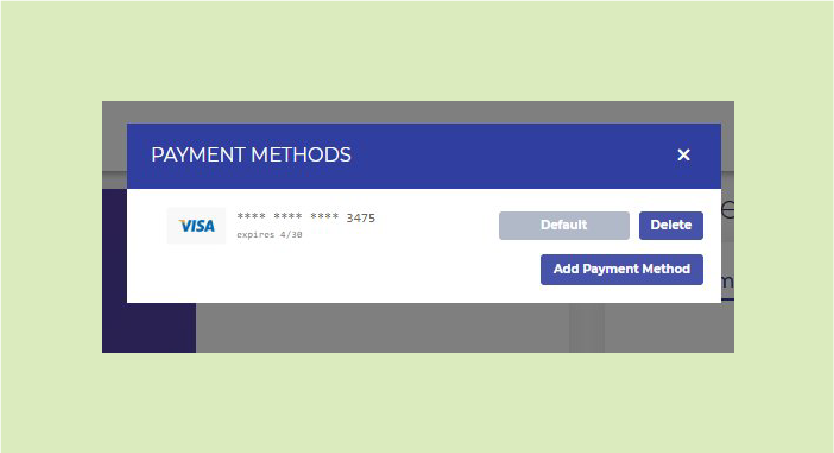
You’re welcome to save more than one card on file. To add another, simply click Add Payment Method again. You can designate which card is your default for automatic billing.
Pictured on Right:Your saved card appears with options to set as Default, Delete, or add another
QUICK NOTE ON SECURITY
Your payment information is processed through Stripe, the same platform used by companies like Amazon, Lyft, and Shopify. Premier Music Academy does not store your card number or CVC — only the last four digits and card brand are visible in your account.
need a hand?
If you run into trouble at any step, our admin team is happy to walk you through it. Reach out anytime during studio hours.